In short: WSJT-X and LogRunner can now share one radio. WSJT-X talks to LogRunner as if it were a Hamlib rigctld. LogRunner passes every command on to the radio set up in TRX Control. Frequency and mode stay the same in both programs, and they no longer compete for the CAT port.
Setup in two steps
1. LogRunner
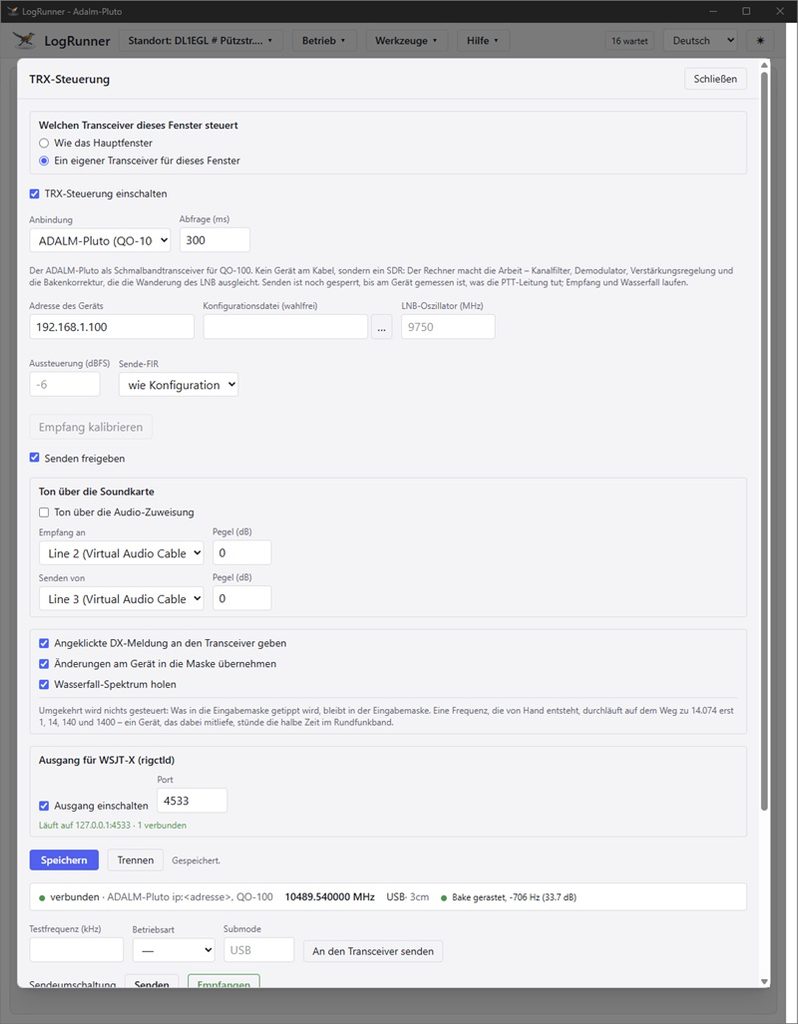
Go to Tools ▸ TRX Control, section Output for WSJT-X (rigctld), and switch the output on. The default port is 4532.
2. WSJT-X
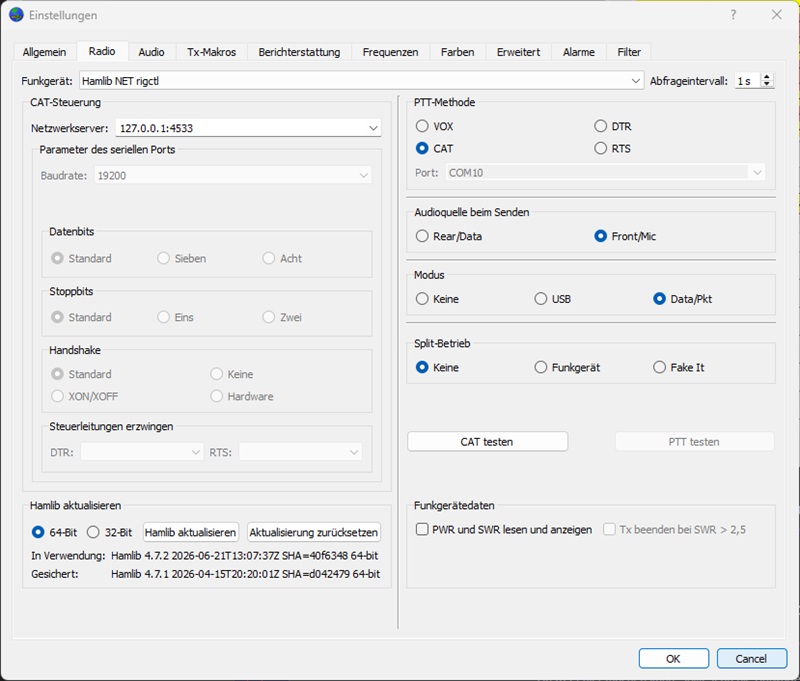
Go to Settings ▸ Radio:
| Setting | Value |
|---|---|
| Rig | Hamlib NET rigctl |
| Network Server | 127.0.0.1:4532 |
| PTT Method | CAT |
| Mode | Data/Pkt or None |
| Split Operation | None or Fake It |
The output does not set split itself, so choose “None” or “Fake It” in WSJT-X.
What happens behind the scenes
- Local only: The output listens only on
127.0.0.1, so only programs on this PC can reach it. - Always reachable: It keeps running as long as TRX Control and the output are switched on, even when the radio isn’t responding. In that case WSJT-X gets an error message instead of a refused connection.
- One shared queue: Every command from WSJT-X (frequency, mode, PTT) goes through the same queue as a clicked spot or the transmit button in LogRunner. The two programs never get in each other’s way and always show the same frequency.
- Works with every connection type: Icom CI-V, Icom CI-V (IP), Hamlib and Omnirig.
- PTT with a safety net: PTT goes through LogRunner’s transmit button, with all of its interlocks. If the radio is following another radio via SyncVFO, WSJT-X can’t key it either.
- No stuck transmitter: If the connection drops while WSJT-X is transmitting (for example because WSJT-X crashes or is closed), LogRunner switches back to receive.
- Data mode: On Icom radios, LogRunner sets data mode as a separate switch (command
1A 06). With other connection types it only sets the operating mode. - One port per radio: Each TRX Control needs its own port. A second radio in a LiveLocal window would use port 4533, for example. LogRunner won’t save duplicate ports. This also applies to the port of any
rigctldthat LogRunner itself talks to via Hamlib (rigctld).
Audio is handled separately
The rigctld output only carries control commands. Audio is set up separately:
Icom via USB
WSJT-X usually uses the radio’s built-in codec directly. Leave “Audio via USB” in LogRunner switched off in that case.
Icom CI-V (IP)
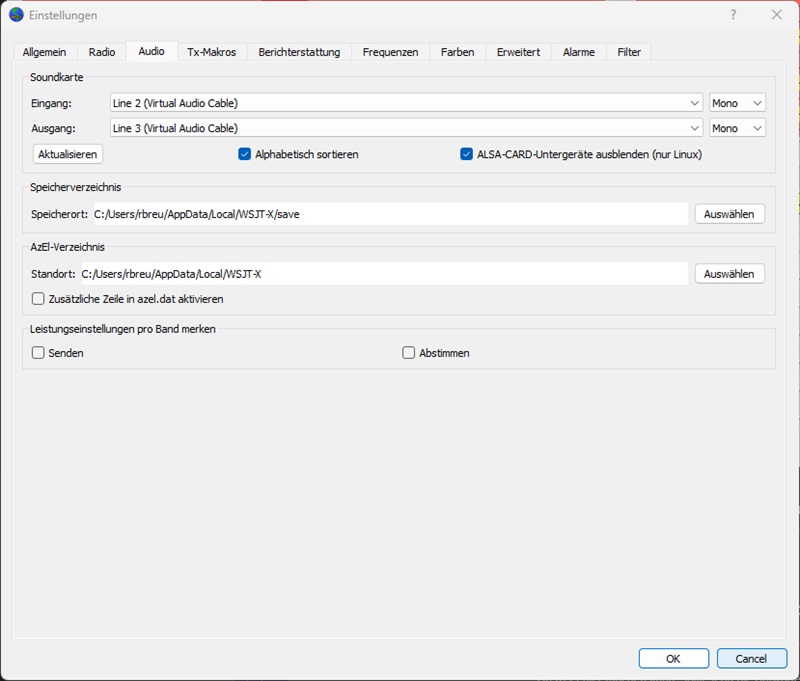
Here audio runs through virtual audio cables, set up under Audio via sound card or in Audio Routing:
- Receive: LogRunner sends received audio to “CABLE Input”. In WSJT-X, select that cable’s output as the input device.
- Transmit: WSJT-X sends its audio to a second virtual cable. Select that cable in LogRunner under Transmit from.
PlutoTRX module with WSJT-X on YouTube
Screenshots of the settings in LogRunner and WSJT-X