More and more amateur radio transceivers are equipped with an HDMI or DVI output for external monitors. If you use a USB frame grabber instead of a monitor, this signal can be converted into a USB camera signal and displayed on your computer alongside other applications.
As easy as it is to get started using the standard Windows Camera app, you’ll soon come up against its limitations: the app regularly forgets the camera selection, as well as the window size and position. Furthermore, the display remains strictly limited to the local computer.
The LogRunner tool TRX-Display removes these limitations:
Personalised setup: In the LogRunner client window, the application remembers the position and size if desired, and opens with exactly the same layout every time it is launched.
Network streaming: The signal can be flexibly distributed across your own subnet to other computers on the network.
Multi-transceiver support: If you have several transceivers with a display output, simply connect each capture card to a PC, Mac or Raspberry Pi 5 – this allows you to set up a separate TRX-Display client for each device and display them in parallel.
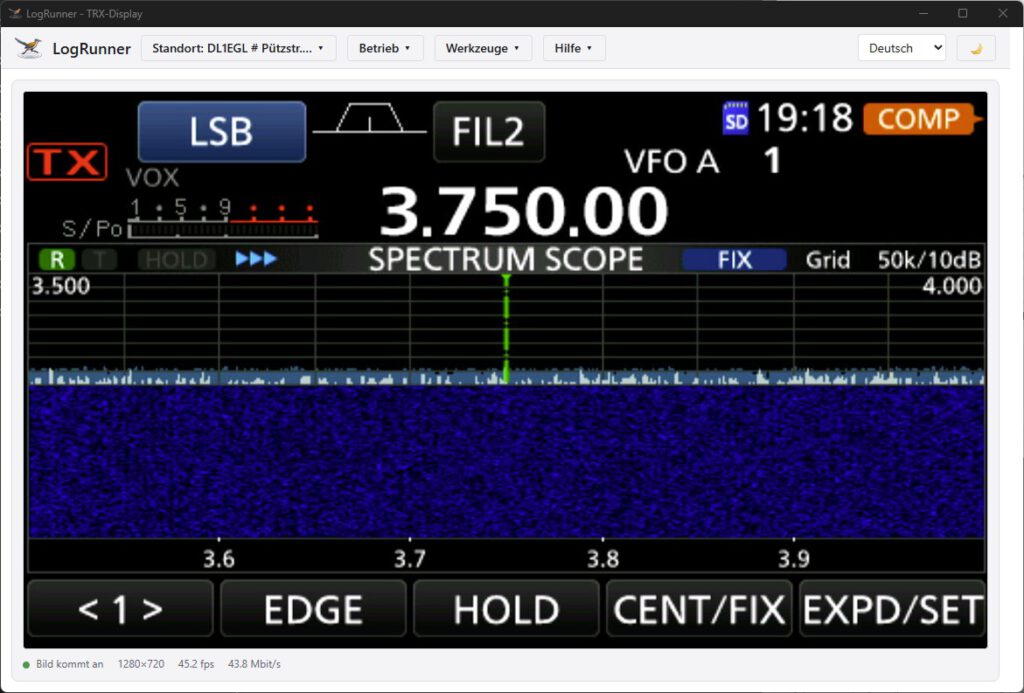
Example: Icom IC-7300MK2 as a TRX display
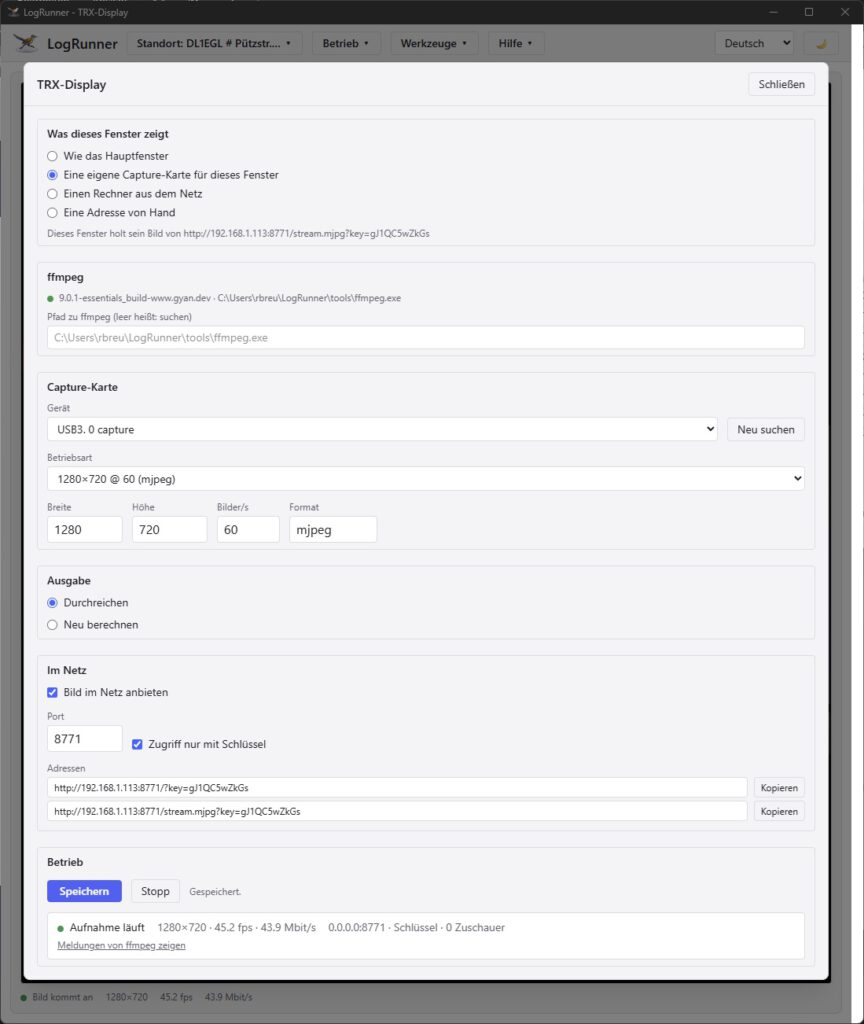
Configuration menu